 عالم المواقع خدمات استضافه ودومينات ومواقع جاهزه وكامله
اضغط هنا لمشاهدة مثال على الطبيعه
متاح مجانا على خطة الاستضافه الثانيه
1 – الدومين تحصل عليه مجانا
2 – الاسكربت بقيمة 185 دولار سوف تحصل عليه مجانا
3 – تكلفة تركيب الاسكربت على موقعك بقيمة 30 دولار يتم مجانا
4 – تصميم لوجو مناسب لاسم موقعك بقيمة 10 دولار تحصل عليه مجانا
5 – عمل خريطه لموقعك ليستوفى متطلبات محركات البحث بقيمة 30 دولار تحصل عليها مجانا
6 – اشهار موقعك بادراجه على محرك البحث جوجل بقيمة 60 دولار تحصل عليه مجانا
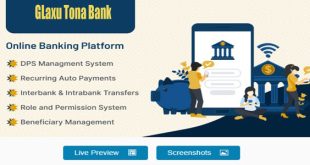
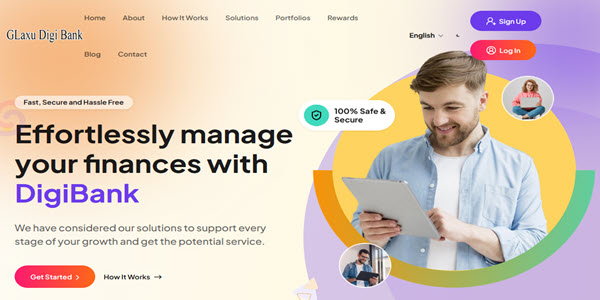
الخلاصه : سوف تستلم موقعك كامل من الالف للياء جاهز على ادارتك خلال ساعات لاتتعدى 24 ساعه من لحظة الدفع وتوفر 80% من التكلفه من خلال طلب موقعك من خلال عرض التوفير والتخفيض الحالىملحوظه مهمه : خارج عرض التوفير والتخفيض سوف ترتفع تكلفة طلب هذا الموقع اربع اضعاف التكلفه الحاليه , عرض التوفير والتخفيض الحالى ليس محدد بمده ولكن بعدد معين من المواقع متى اكتمل يتم وقف العرضديجي بنك – حل مصرفي رقمي متطور يُستخدم بشكل رئيسي لمواقع الخدمات المصرفية الرقمية والفعلية. وهو برنامج مصرفي مرن يوفر جميع الخدمات المصرفية. في النظام، يمكن للزوار التسجيل كمستخدم مصرفي في التطبيق وإيداع الأموال في الحساب، كما يمكنهم إنشاء وديعة ثابتة أو وديعة ضمان (DPS) باستخدام المبلغ المودع. يوفر النظام ميزات وديعة ثابتة، ووديعة ضمان، ودفع القروض والفواتير، والمحافظ المتعددة أو العملات، وإنشاء بطاقات افتراضية. يمكن للمستخدم إنشاء وديعة ضمان لفترة زمنية محددة وبمبلغ محدد، واستلام مبلغ وديعة ضمان مع الأرباح بعد استحقاقها. كما يمكن إنشاء وديعة ثابتة، مع بعض خطط الوديعة الثابتة، حيث يحتفظ مستخدمو البنك بالأموال في وديعة ضمان كعملة مجمعة، ويحصلون على الأرباح من هذه الأموال كل فترة زمنية محددة. يتوفر في وديعة ضمان نظام الفائدة المركبة. يمكن لمستخدمي البنك أيضًا التقدم بطلب للحصول على قرض باتباع جميع إجراءات البنك. يمكن للمدير أو مالك البنك الموافقة على القرض أو رفضه إذا لم يستوفِ الشروط. يمكنهم أيضًا الحصول على مكافأة التسجيل عند التسجيل في الموقع، وكسب إحالات. يوفر التطبيق مستويات إحالة متنوعة للحصول على مكافأة الإحالة. كما يمكن للمستخدمين دفع فواتيرهم باستخدام هذا التطبيق. يحتوي التطبيق على بوابة دفع آلية متكاملة مثل PayPal وStripe وMollie وCoinbase وPaystack وVogurePay وCoingate وFlutterwave وغيرها الكثير. كما يوفر التطبيق طريقة سحب تلقائي لسحب الأموال مباشرةً إلى حساب المستخدم، بالإضافة إلى إمكانية الإيداع والسحب اليدوي. يحتوي التطبيق على نظام محفظة استثمارية، حيث يمكن للمستخدمين الوصول إلى أي من المحافظ الاستثمارية لتحسين معاملاتهم أو أرباحهم. كما يمكن للمستخدم تحويل الأموال إلى مستخدمين آخرين وبنوك أخرى. كما يوفر التطبيق نظام مكافآت يتيح للمستخدمين استرداد المكافآت والحصول على أموال من البنك. يتم التحكم في جميع هذه الميزات من لوحة تحكم الإدارة.
Admin Features
Dashboard
In the Dashboard menu, if there is a Manual deposit, Pending Withdraw request, Pending KYCs, Loan requests, and Support Tickets, then the Admin can see this after logging into the admin panel. They are immediate tasks to complete first. Then the admin can see the cards with all the basic data of the website. Can also see the statistics for the Last 7 Days of Deposits, DPS, FDR, Loan, Bill, and Withdrawal. You can explore other statistics and Recently Registered users.
Customers
In the Customers menu, there are all the registered customers can be found. There are other Active customers, Closed customers, Disabled customers, and the admin can send all the users any message immediately. Admin can edit any of the customer details to find their activities. Admin can add or subtract a balance from any user. Admin can change all the performing statuses. Admin can also add any new bank customer to the system.
KYC Management
Admin can set the KYC form and check and review each user’s KYC. Admin can see the history of the KYC.
Manage Roles and Manage Staffs
In the Manage Roles menu, the admin can add any of the roles to the application and can assign any of the permissions to that role. And in the Manage Staffs menu admin can add new staff and can assign any of the roles to the staff with their permission.
Transactions
All the Transactions can be explored in this menu.
Wallets
All the Wallets can be explored here, and the wallet can be created the wallet by the admin.
Virtual Card
All the virtual cards can be shown here by the admin and handled.
Profits
User and Bank profits can be explored under the profit sections.
Fund Transfer
Admin can review the pending fund transfers. Also, can set up the process for Wire and Other bank transfers.
DPS
Admin can set up the DPS plans and review the Ongoing DPS.
FDR
Admin can set up the FDR plans and review the Ongoing FDR.
Loan
Admin can set up the Loan plans and review the Loan requests.
Bill Management and History
Admin can import the service, convert rates, and check out the bill lists. Also, the bill histories can be explored the bill histories.
Automatic Gateways
Admin can see the automatic payment gateways for deposit and withdrawal. He can set multiple currencies in a single gateway supported. Multiple currency-supported gateways are available.
Deposits
In the Deposit menu, the admin can edit any of the automatic deposit methods. Also, can set the Manual Deposit methods and review any of the manual deposit requests. Also can explore the deposit histories.
Automatic and Manual Withdraws
Admin can set for user automatic and manual withdrawal methods.
Manage Referral
Admin can set the Multi-Level Referrals with the percentages.
Portfolios
Admin can set the Portfolio Levels with the Badge system. Once the user reaches the amount to earn using the transactions, the user will unlock the Badge and get a bonus. The bonus amount will be set by the admin.
Rewards System
Admin can set up the rewards based on Portfolios. Users will earn reward points and can redeem them. Also can receive the amount for the redemption.
Settings
Under the Site settings admin can set the site essentials and manage the permissions and many other essential stuff. In email settings admin can set up the SMTP.
Landing Page
All the home page sections can be managed by the admin here.
Pages
All the page’s contents can be added to a new custom page from this menu by the admin.
Site Navigation
All the site Navigation, Header, Footer, and User dashboard Navigation can be handled from this menu.
Templates
Under the Template menu admin can manage Email, SM,S and Notification templates.
Theme Management
There is only one theme now, also, there is an option to upload an HTML theme to run the HTML template on as a website landing page or other pages.
All Subscribers
Admin can see all the subscribers and send a message to them from here.
Support Tickets
Admin can explore all the Support Tickets from this menu.
Custom CSS
Admin can add custom CSS code from this menu.
Cron Jobs
Admin can set up the cron job for the needs of the systems.
Clear Caches
Admin can Clear Caches to click this menu.
Application Details
In this menu, the admin can explore the full Application Details
User Features
Dashboard
In the dashboard sidebar, there is a wallet, portfolio badge, and account number. There, the user can see the KYC submission bar to submit the KYC if the user has not submitted the KYC before. On this page, users can also see the Portfolio Level with a Badge. Also, users can explore statistics and Recent Transactions.
Deposit
Users can deposit from here using any automatic or manual deposit method.
Fund Transfer
Users can transfer the funds to another bank user or the same bank. Also, can transfer the Wire and Swift.
DPS
Users can DPS any of the plans and get the profit after the time period.
FDR
Users can FDR any of the plans and get the profit after the time period.
FDR
Users can apply for the Loan and get the funds in their account.
Pay Bill
The user can pay the bills using this section. It will be available for some particular countries.
Transactions
User All Transactions will show there.
Withdraw Money
The User needs to add a Withdraw account first, then can request a Withdraw. Once a request is created, the admin needs to review the request and send money to the user manually.
Referral
All the user’s Referral details will show here. Also can be shown the referral tree.
Portfolio
Under the portfolio user can see the unlocked and locked badges.
Rewards
Under the Rewards page user can explore the reward points and can redeem them.
Support Ticket
The user can open a ticket to the admin, and the admin can reply to that ticket to solve the issues or anything.
Settings
On the settings page, the user can edit and update all the profile settings. Also can change the Password, manage the security, submit the KYC, etc.
Key Features:
Customer Management
Support Ticket
KYC Management
25+ payment gateway supports
User & Admin Notifications
Login as User
Staff Management
Role Management
Bank and User Profits
Fund Transfer
Wire and Swift Transfer
Bank DPS
Bank FDR
Bank FDR Compounding
Bank Loan
Multi currency or Multi Wallet
Virtual Cards
Bill Payments
Portfolio
Reward Points
Landing Page
Fully Responsive
Dark and Light Mode
User Paybacks
Automatic Gateways
Automatic and Manual Deposit
Automatic & Manual Withdraw
Crypto and Fiat Currency
2FA Verification
Multi Level Referrals
Admin URL changeable
User Ranks or Portfolio
Portfolio Badge
Admin URL changeable
User Ranking System
Rankings Badge
Referral Bonus
Signup Bonus
Portfolio Earnings
Balance Add and Subtract
Main Wallet
Landing Page Management
Home page redirection
Fund Add and Subtracts
SMS Settings
Pages Management
Home page redirection
SMS Settings
Pages SEO
Site Navigation
Site Footer
Custom Site Currency
Notification with tone
Theme Management
Dynamic Landing Theme
Site Maintenance Mode
GDPR Settings
****** Settings
Tawk Chat
Google reCaptcha
Google Analytics
Messenger
Email Newsletter
SEO Meta Settings
Permissions Settings
Inactive User Settings
Passcode Management
Site Bonus Settings
Custom CSS
Clear Caches
System Details
اضغط هنا لمشاهدة باقات الاستضافه
اضعط هنا لمشاهدة طرق الدفع
اضغط هنا لفتح تذكره لطلب موقعك
او تواصل لاى سؤال او استفسار او لطلب موقعك على تليجرام
https://t.me/glaxu
https://youtu.be/PLEgs7g7tks